
Timesheets, expense claims and project profitability in one place, built on Microsoft Power Apps. Every hour and every expense is recorded against the project and role it belongs to as the work happens, so the people doing the work, the managers approving it and the finance team see the same figures, and the cost and margin of every project is visible long before month end.

Time kept in spreadsheets, expenses sent by email and margins worked out at month end leave managers without a clear view of a project until it is too late to change course. Time and Expenses Management adds the Time and Expense app to your Microsoft Dataverse environment. Employees record timesheets and expense claims against projects and project roles, managers approve them, and cost and sales rates by role show the cost, profit and margin of each project as time is logged.
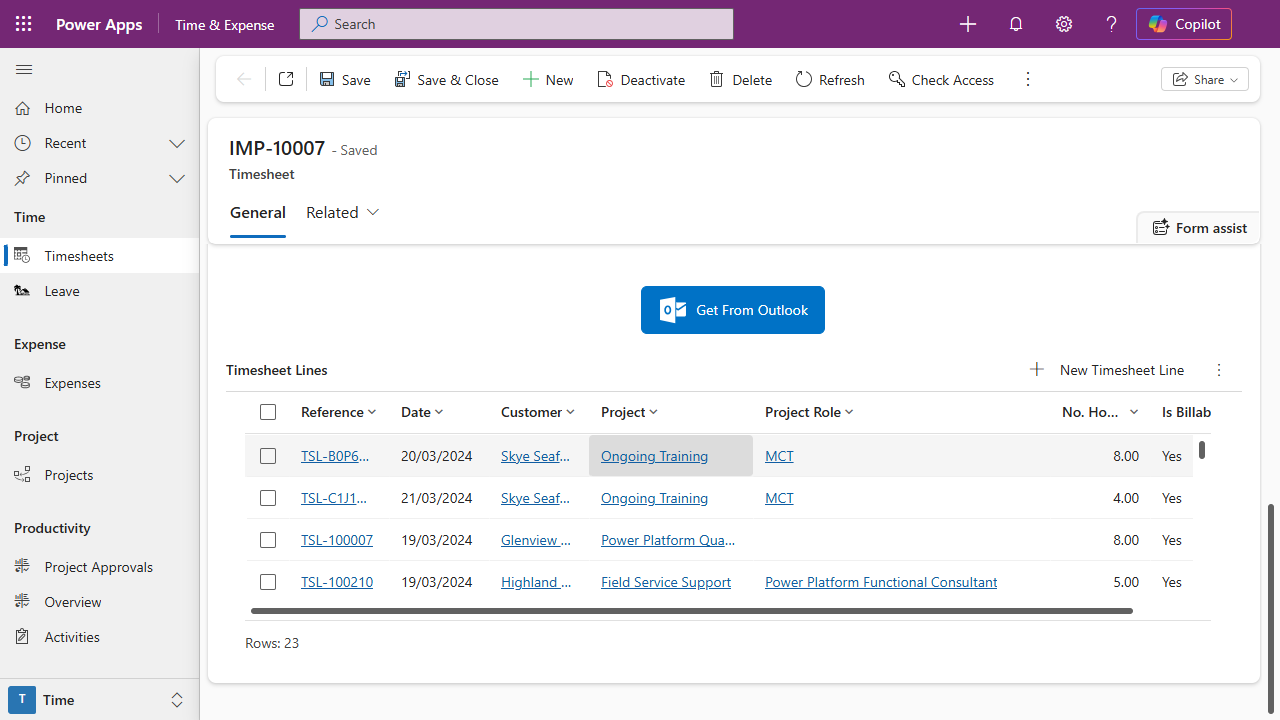
Timesheets created for the people who need them. Weekly or monthly timesheets are created automatically every Monday for each user who needs one. Each line is logged against a customer, project and project role and marked billable or not, and the timesheet totals the hours worked, billable and non-billable.
Expense claims your finance team can use. Expenses are recorded by category and payment method against the claimant, customer and project, with the receipt attached and the claim marked rechargeable or not. Mileage claims work out the cost from the miles covered.
Approvals and notifications. Submitting a timesheet sends an approval request to the employee’s manager, answered in Outlook, Teams or the app. Expenses move from created to submitted to approved or rejected and then paid, with an email at each change, and approved timesheets go to your finance mailbox every week.
The margin on every project. Each project role carries its days, cost rate and sales rate, so the project shows total cost, sales, blended day rate, days sold, days worked and days left, with profit and margin by role. A project tracker on the record gives health, completion, forecast end and projected margin, and the project’s approver is emailed when it is down to its last two days.
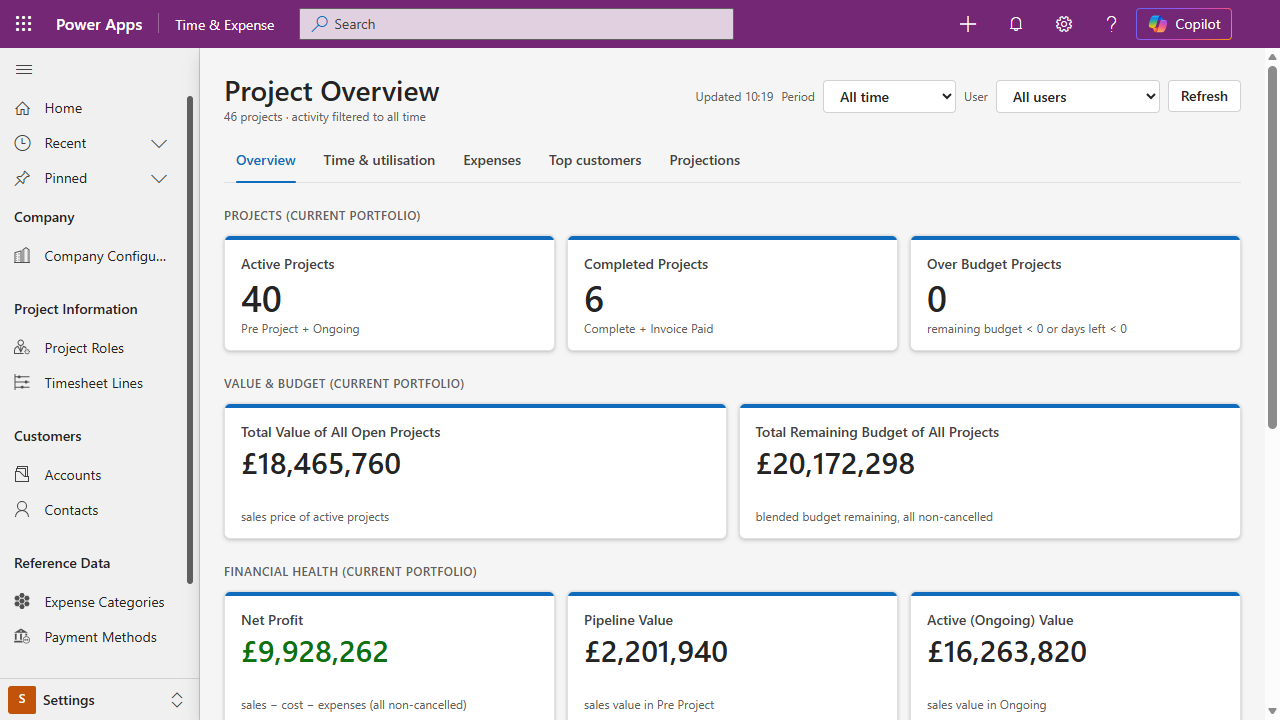
One view of your projects. A Project Overview page shows active, completed and over-budget projects, the value and remaining budget of the portfolio, net profit and pipeline, time and utilisation, expenses, top customers and a projection of the months ahead. It reads as the signed-in user, so security roles apply.
Calendar to timesheet, and leave. Get From Outlook turns a week of calendar entries into timesheet lines, with the customer, project and role chosen per entry and copied down the list. Leave is recorded with its dates, duration and approver alongside the timesheets.
Professional services firms and project-based contractors that bill time to clients, internal project teams accounting for time against their own projects, and any business replacing timesheet spreadsheets and paper expense forms.
Employees. Open this week’s timesheet, add lines against projects and roles or pull them in from Outlook, record expense claims with the receipt, and submit. Status changes arrive by email.
Managers. Approve timesheets and expense claims from Outlook, Teams or the app, watch the Project Approvals dashboard, and get a warning before a project runs out of days.
Finance and leadership. Receive approved timesheets every week, review expense claims by project and customer, and read the cost, profit and margin of every project from the Project Overview.
Your own Microsoft environment. Time and Expenses Management installs as one managed solution into your Dataverse environment with two security roles, Timesheet Basic User and Timesheet Approver. Company details, timesheet periods, expense categories, payment methods and project roles are yours to configure, and every user needs a Microsoft licence with premium Power Apps use rights.
See Time and Expenses Management on your own projects, timesheets and expense claims. Book a demo with Proximo 3.