
The parts every service business ends up building on Dynamics 365 Field Service, already built. One managed solution from Proximo 3 that adds domestic bookings, pre-filled and branded inspection reports, schedule board booking rules, multi-site agreements, renewals, quoting, a mobile job list and the back-office tools around them. It extends Microsoft’s own tables rather than replacing them, so the standard Field Service processes your team already knows keep working.
Field Service gives you the engine. Most service businesses then spend months building the rest, and the same three gaps come up every time.
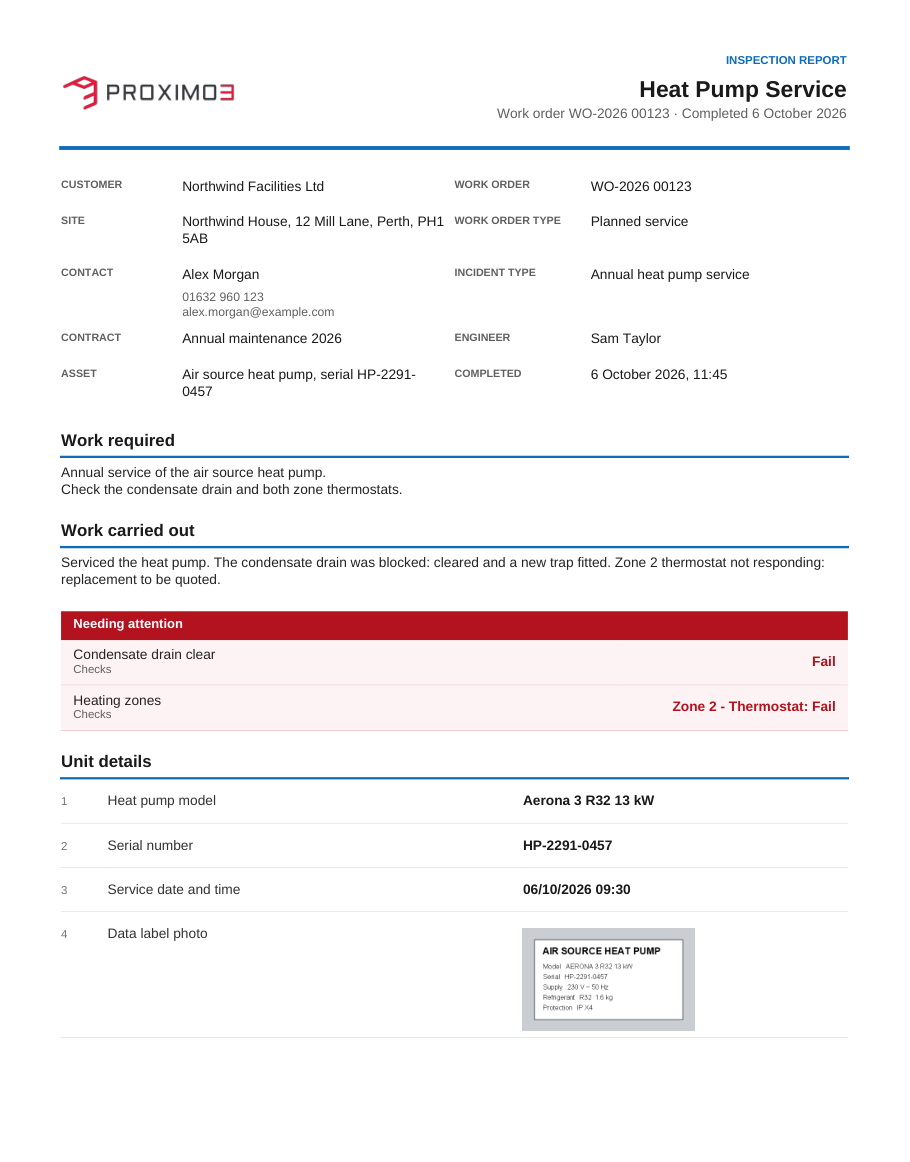
Householders are not companies. Field Service expects a service account on every job, so domestic work means throwaway accounts and half-linked records. With the kit you mark a contact as a domestic customer and the account Field Service needs is created and linked behind the scenes. A guided work order screen takes the call handler through customer type, customer, property and job details in one pass, and the same screen serves business sites. Properties are held as locations of their own, with access codes and instructions that reach the engineer and an owner that can change when a house is sold. The work order warns when the customer is vulnerable or the asset or property has had repeat call-outs, and an outsourced out-of-hours desk gets a cut-down app with least-privilege access, so the morning team finds bookable jobs rather than voicemail.
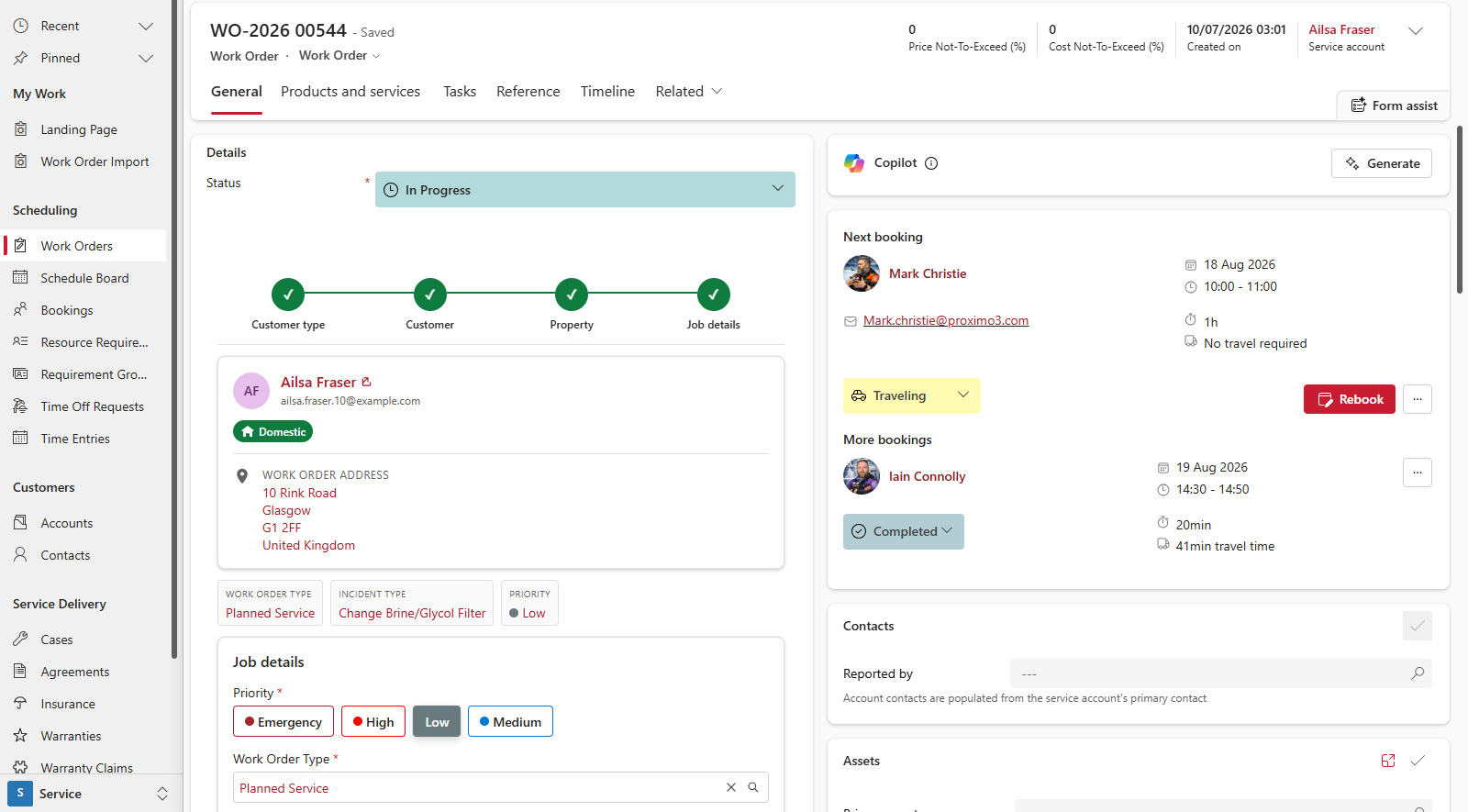
Paperwork lags the job. Inspection certificates are usually exported after the event, one work order at a time, and look like whatever the mobile app produced. The kit pre-fills inspection answers from the work order, customer and asset before the engineer starts, set up with dropdowns rather than hand-written configuration. When the job completes, every inspection becomes a PDF built from your own HTML template, stylesheet and logo, with a different look per business unit where you need one. The report lands on the work order timeline, can be emailed to the customer automatically or held as a draft for review, can be exported for a batch of work orders in one click, and is available as Base64 to any other system through the Web API.
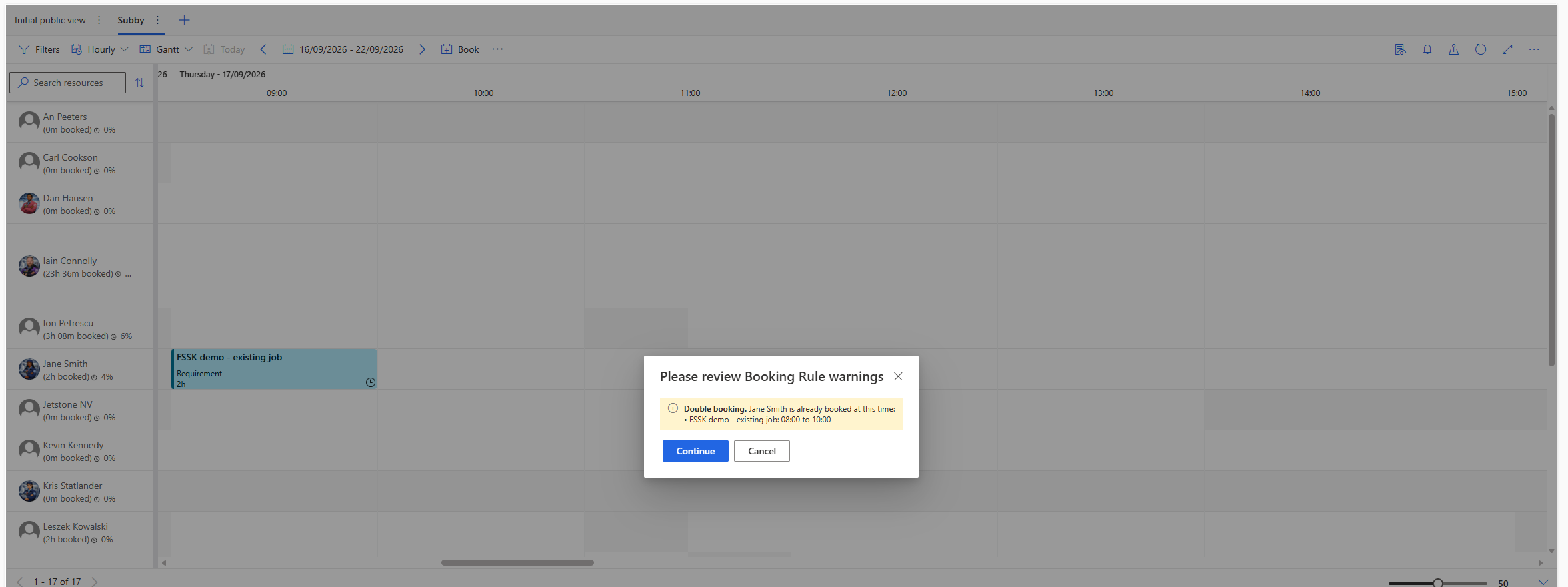
The schedule board lets a bad booking through. Out of the box a job can be dropped onto an engineer who is on leave, already booked, or who would get home long after their shift ends. The kit ships schedule board booking rules that run as a job is dragged onto the board or placed by the schedule assistant, and each one is installed in a new environment from the settings page with a single button. A hard stop when the resource is on leave. A warning for a clash with an existing booking, counting the drive to the job. A warning when the job plus the drive home lands after working hours. A check that the engineer holds the certifications the job asks for, at the rating it needs and not expired. Warnings use the board’s own Continue or Cancel dialog, so a dispatcher can still book against one when the business accepts it, and every message is written in the time zone of the board tab the dispatcher is looking at.
One contract, many sites. An agreement can cover a whole estate: every location with its own visit schedules, priced lines and generated jobs on one screen, with add, edit, copy and bulk update in place. Changes cancel rather than delete, and every stopped visit carries a note saying why.
Renewals that raise themselves. Each week the kit finds agreements approaching expiry, raises one renewal opportunity per customer and purchase order with a consolidated quote at today’s prices, drafts the chasing emails and calls, and turns the won quote into the next agreement.
Quoting with real margin, and approvals by value. Multi-site recurring service is priced on the opportunity from your price list with a complexity adjustment and true margin per site and line. Renewal uplifts outside the agreed band, or any saved value over someone’s limit, go to the right manager by email and Teams.
A job list built for the van. Engineers get their bookings as cards in Field Service Mobile, split into today, tomorrow and complete, that still work with no signal. A job starts and finishes from the card, only one job can run at a time per engineer, and you can add your own outcomes such as No Access without code.
Billing, warranty and stock. A focused billing app for checking invoices before they reach finance, credit notes, a preferred billing method on account, agreement and invoice, supplier warranty claims with a stamped lifecycle, one global price list kept in step, and stock by warehouse including vans.
Your customer base from one workbook. Work Order Import turns one spreadsheet into contacts, accounts, properties, customer assets and work orders in the right order, matches what already exists, previews before it writes, and keeps every run with the rows that failed ready to fix and load again.
Live numbers where decisions are made. A Field Service landing page shows today’s work, jobs running late, the backlog and approvals due, with a map of today’s jobs, and count tiles on every account show that customer’s live, scheduled and stuck work. Everything reads as the signed-in user, so security roles apply.
Settings, training and security from day one. Every tunable behaviour lives on one branded settings page. A training app holds illustrated guides for each area of the kit, and each app ships with User and Manager roles, with further roles for subcontractors and for the kit’s own tables.
Every feature in the kit started as a gap a real service business hit on Field Service: residential energy work that needed householders as customers, fire and safety contracts that needed the certificate on the customer’s desk the moment the job closed, compliance operators with one contract across many sites. Building any one of these yourself is weeks of design, development and testing, and then the job of keeping it working as Microsoft changes Field Service. The kit is that work done once and installed as a product.
Built the Dynamics 365 way. One managed solution, installed and upgraded as a single unit including its server-side rules. Quotes, agreements, work orders and bookings stay Microsoft’s own tables, the screens follow the Fluent design your users already know, and everything runs inside your environment with no external servers to host.
Settings, not code. Booking card windows, renewal timing, uplift bands, report templates, import templates and the booking rules are set per customer on one settings page at install time. A change in behaviour is a setting rather than a development project, and your security model applies everywhere because every screen reads as the signed-in user.
Supported as a product. Each release is packaged for your environment and checked against it before import, updates keep your data, and in-app guides and a training app come with it. It needs Dynamics 365 Field Service, with Power Automate for a few optional automations that arrive switched off until you connect them.
See the Field Service Starter Kit on your own work orders, inspections and schedule board. Book a demo with Proximo 3.